
Quickly create a desktop application
Introduction
There are many ways to create a desktop application, Winforms and WPF in windows, swift in macOS, and some cross-platform solutions like qt, electron, etc. In this article, I will show you how to quickly create a desktop application using electron-kits, a electron-based cross-platform solution.
electron-kits is using Anti Design Vue as the UI framework. It is a Vue-based UI framework, which is very easy to use and has a lot of components, there is already login page, layout component, menu component, list page etc. and it is using sqlite3 as the database, as the mainstream solution for app database, sqlite3 is very lightweight and fast, the electron-kits offers create/read/update/delete operate methods for database.
Preview
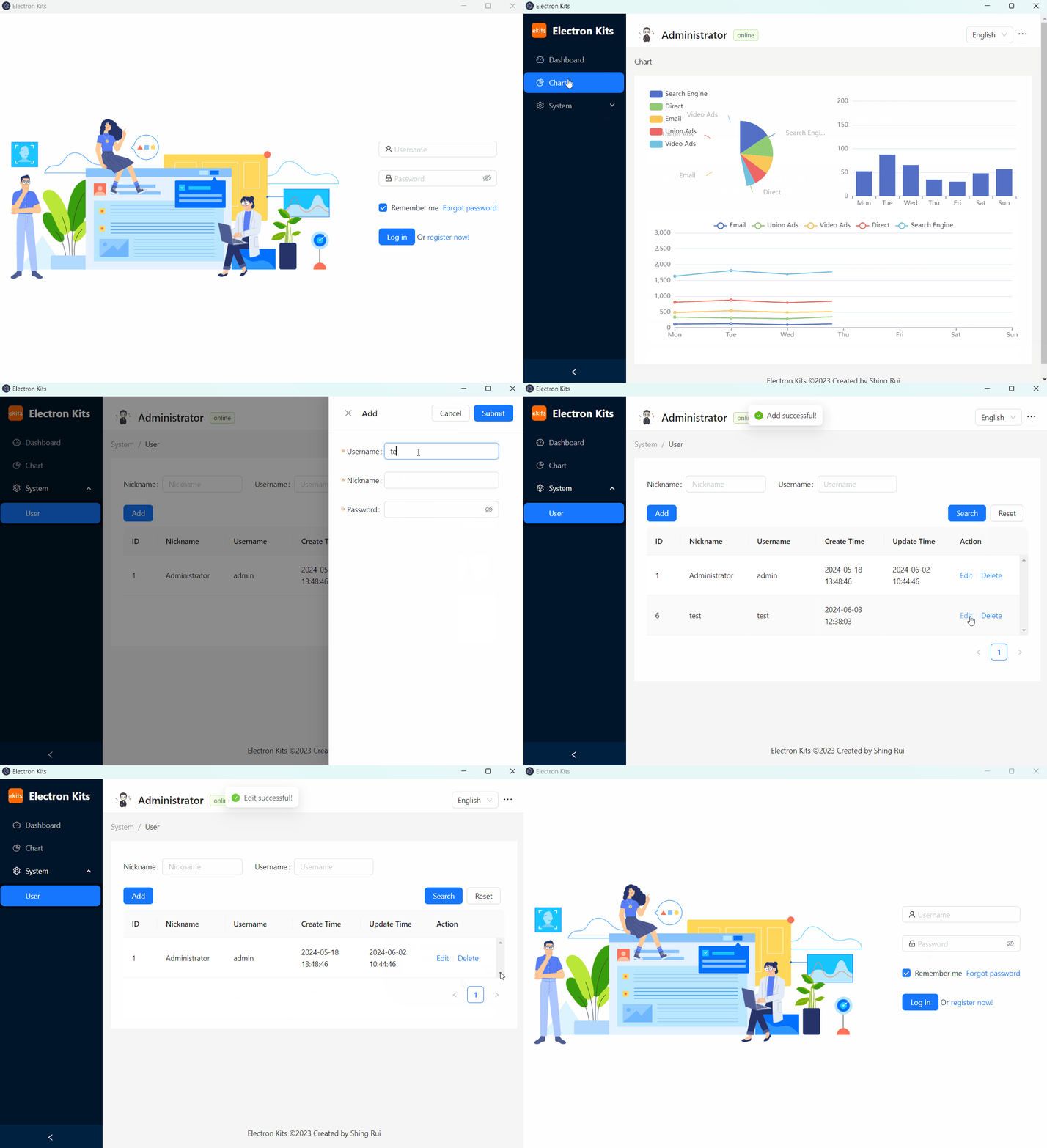
login info: username: admin, password: admin
Create a new project
Install electron-kits
yarn add electron-kits -gCreate a new project
ekits create <your-project-name>Install dependencies
cd <your-project-name>
yarn
Start development
yarn devBuild project
yarn buildMore about electron-kits
Visit ekits.sunquakes.com.